
Authentication
The Spoke API uses OAuth v2.0 client credentials flow to authenticate requests. You can manage your API access in the Spoke Account Portal at https://account.spokephone.com/login
To authenticate with the Spoke API you need to follow these steps:
- Create an API key
- Generate an Access Token
- Make Authenticated Requests
For more details on the OAuth 2.0 client credentials flow, see the overview at https://auth0.com/docs/flows/concepts/client-credentials
Create an API key
You must first login as an Administrator to your account in the Spoke Phone Account Portal at https://account.spokephone.com/login. Open the settings page, click Other, Developers, and add a new API key. This is a one time operation.
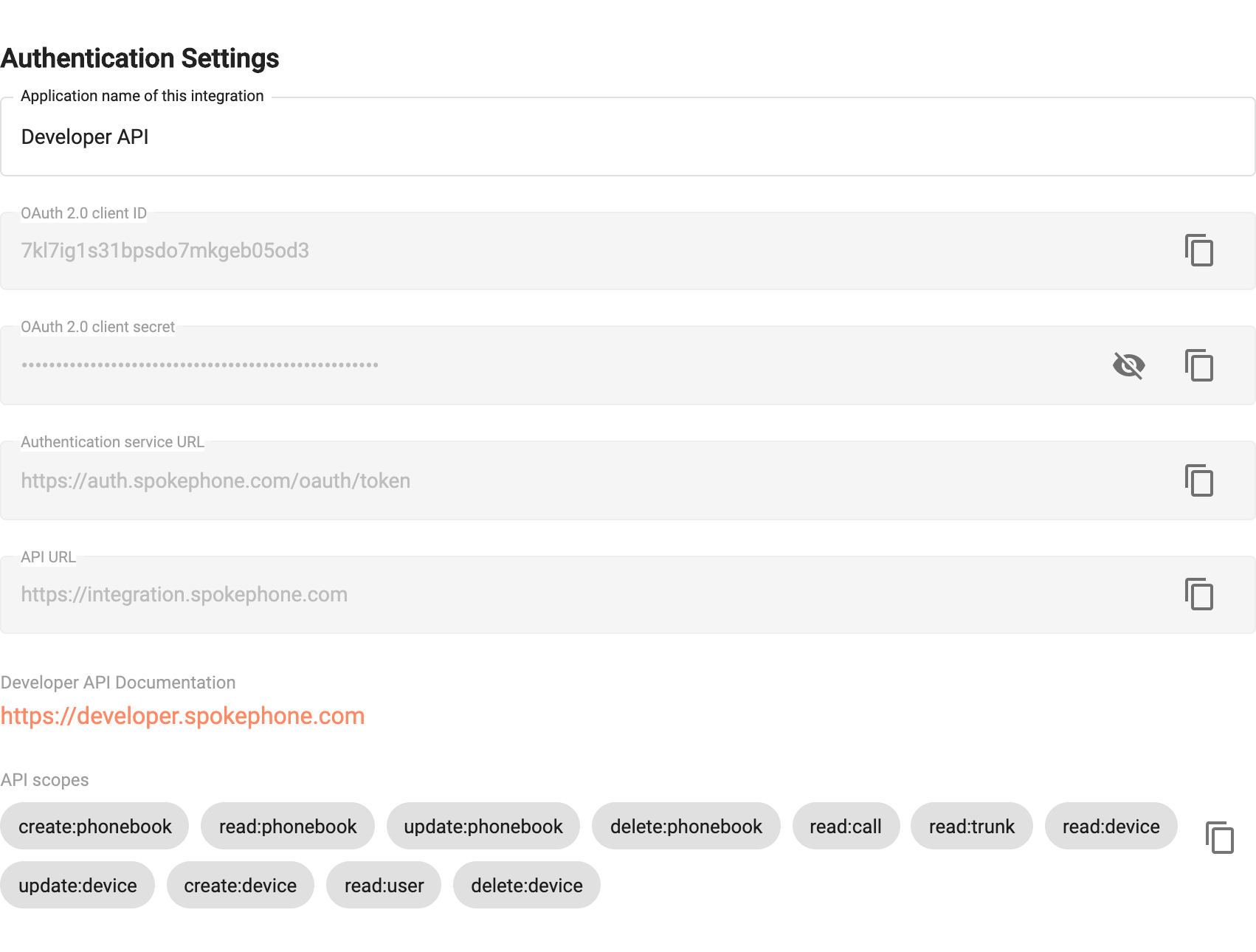
Once the "API key" is created, you will be provided with the necessary details (OAuth 2.0 Client ID, OAuth 2.0 client secret, Authentication service URL) needed to create an access token.
Generate a Token
Once you have created an "API key", the next step is to obtain a bearer token from the Spoke Phone Auth Service at https://auth.spokephone.com/oauth/token. This step requires making an HTTP POST to the Authorization Service URL provided in the step above, with the request body containing an application/x-www-form-urlencoded string with the following fields:
| Field Name | Description |
|---|---|
client_id | The client id from the Developer API |
client_secret | The client secret from the Developer API |
grant_type | Always client_credentials |
A javascript example of this is below:
Code
Note: The auth token endpoint still supports sending an
application/jsonbody, however this content type is deprecated in favour ofapplication/x-www-form-urlencoded.
Make Authenticated Requests
To make authenticated API requests, you must provide a valid bearer token in an HTTP Header:
Authorization: Bearer {access_token}
Once you have obtained an access token, you must provide this as a Bearer token for all subsequent API requests.
Code
Access Token Expiration
Access tokens expire after 3600 seconds (1 hour). It is up to the developer to implement appropriate refresh logic, by following the same token generation process above. Note that as flow is a client credentials flow, intended for machine to machine operations, we do not provide a token refresh endpoint. Instead, requesting a new access token using the same client_id/client_secret is sufficient.