
Insights
The Custom Insights Application Data Action allows you to programmatically enrich and customize information about an external contact while you are viewing their contact card or are on a call with them in the Spoke Phone app.
Before getting started, we recommend you read the Data Action Concepts page to familiarise yourself with the Spoke Data Action mechanism and how Twilio calls integrate with Spoke.
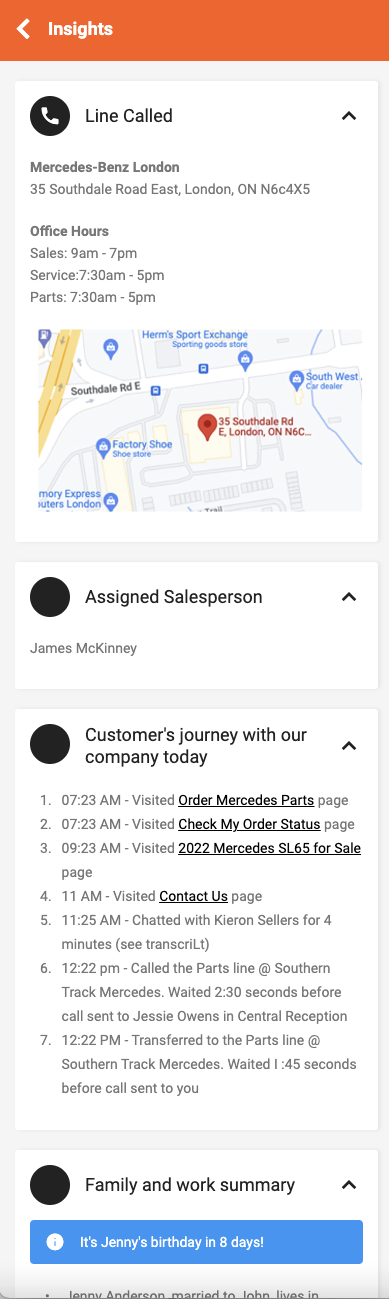
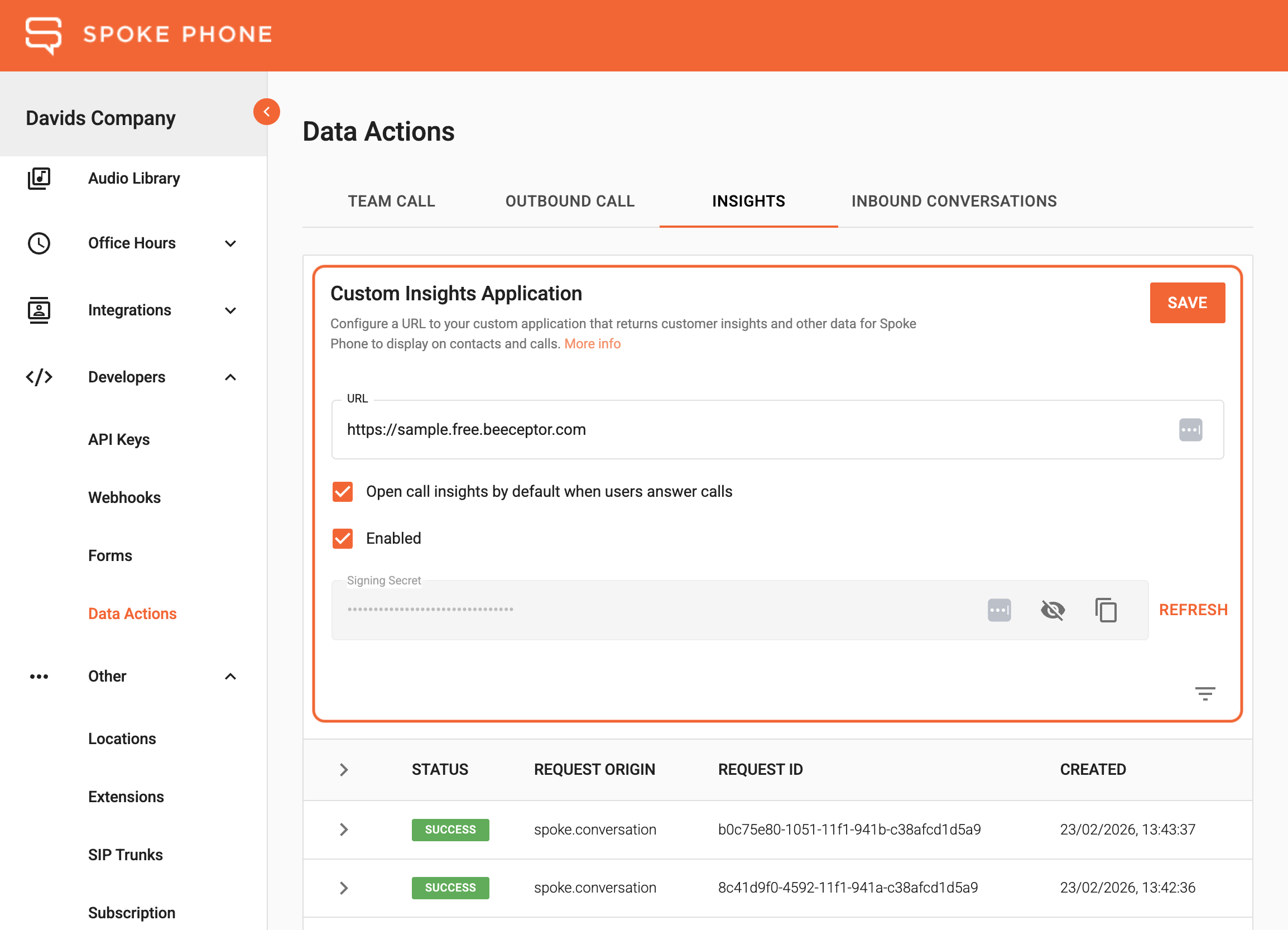
When a user views a contact card or is on a call, Spoke sends an HTTP GET request to the URL you have
configured for the Custom Insights Application Data Action
and expects a response that contains the Insight cards that will be displayed when the user views that contact’s
Insights.
Contact Insights
Spoke Phone app users can view Insights for other Spoke users from the internal directory or phonebook contacts from the external directory.
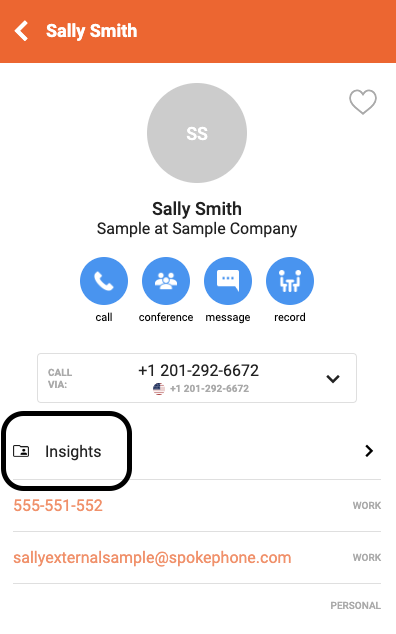
Spoke will make a Contact Insights request every time the user opens a contact card from the directory.
Note that request payloads are slightly different between internal contacts and external phonebook contacts:
Mainly, for internal contacts, the contactSource field will not be provided and the isInternal field will be true.
Whereas for external phonebook contacts, the contactSource field will be included and the isInternal field will be
false.
Call Insights
Spoke Phone app users can view Insights for calls from the call screen Insights tab.
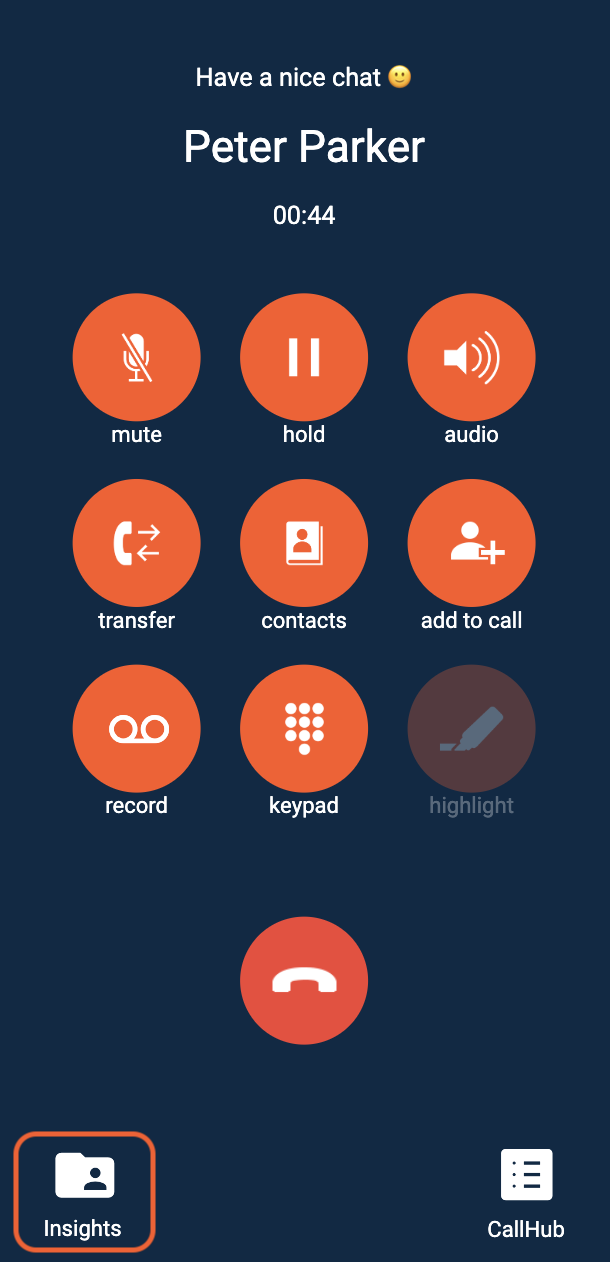
Spoke will make a Call Insights Request at the start of a call (inbound or outbound).
If Spoke has identified that a call involves a contact, then the request will also include the associated contactId,
contactEmail, and contactSource (contactSource only included for external phonebook contacts).
Passthrough Parameters
Any existing passthrough parameters stored against the call are included in the request. Passthrough parameters are flattened into key-value pairs, URL-encoded, and then appended to the query string. See Passthrough Parameters for the full picture of how they are set and returned.
Example:
Given a call with the following passthrough parameters:
Code
The constructed Call Insights data action request will be:
Code
Conversation Insights
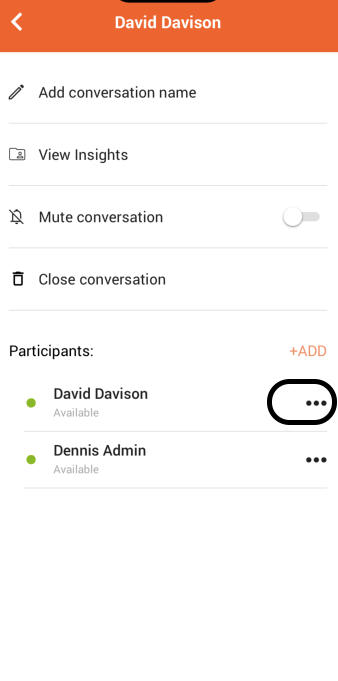
Spoke app users can view primary party's Insights for conversations from the conversation screen pop up menu or the conversation settings screen.
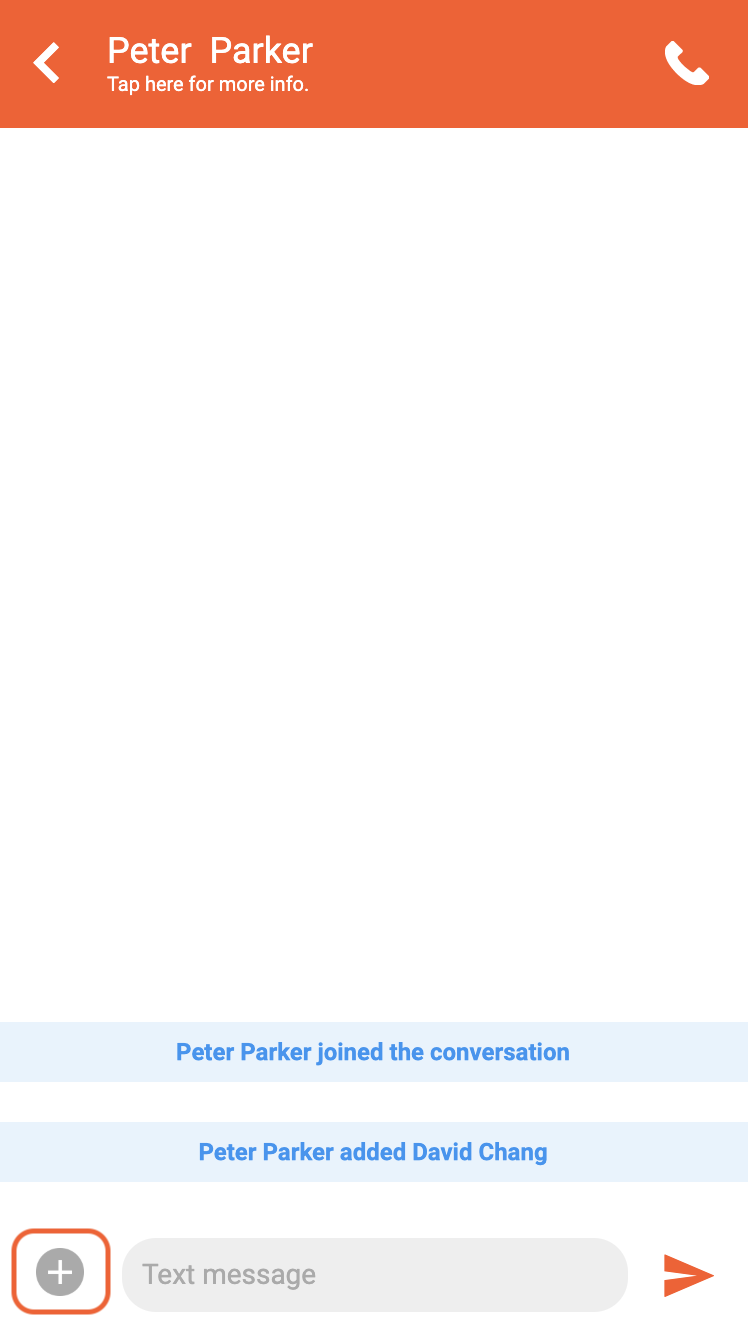 | 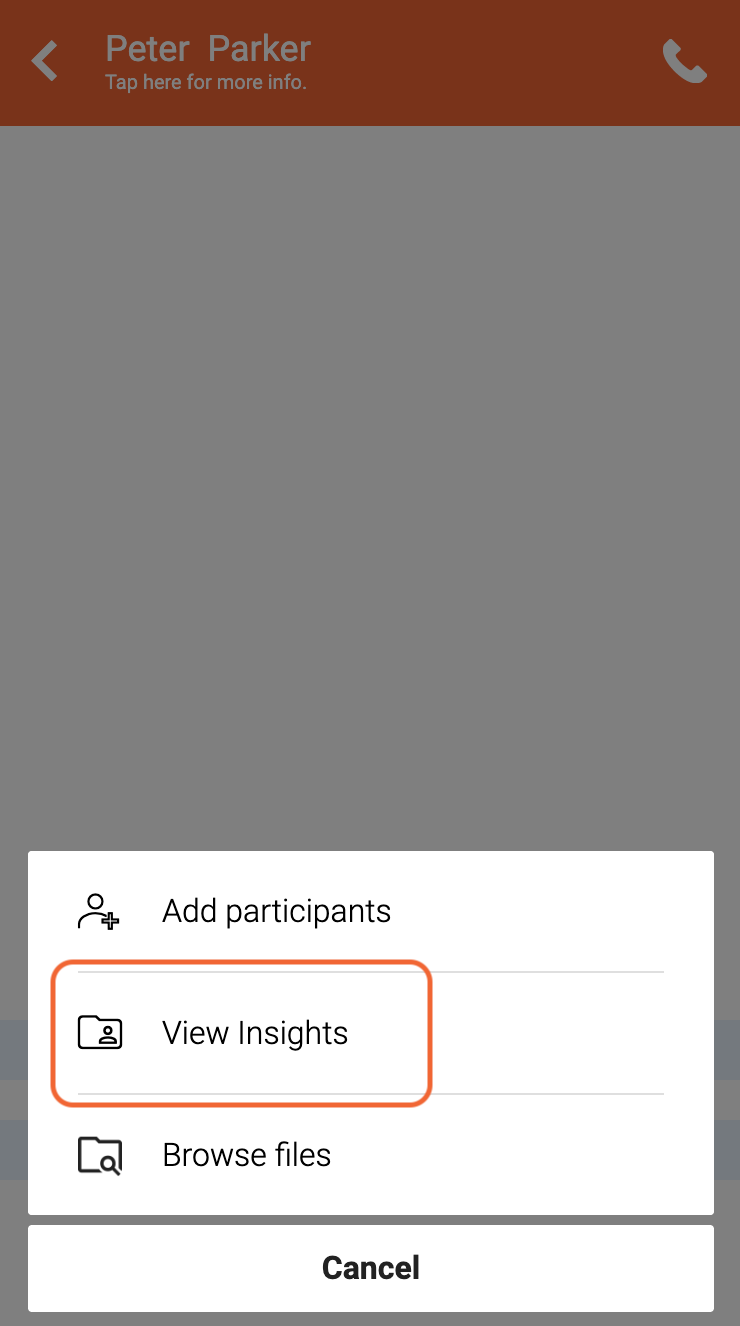 |
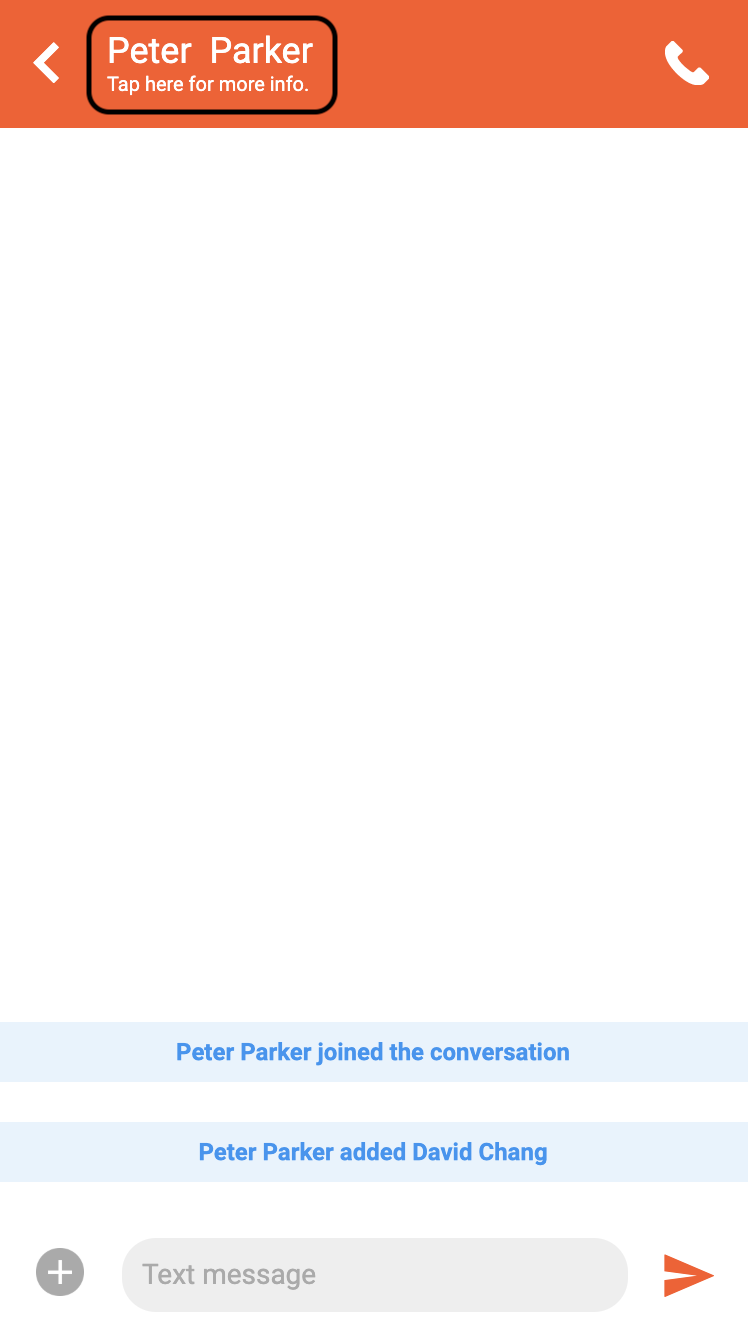 | 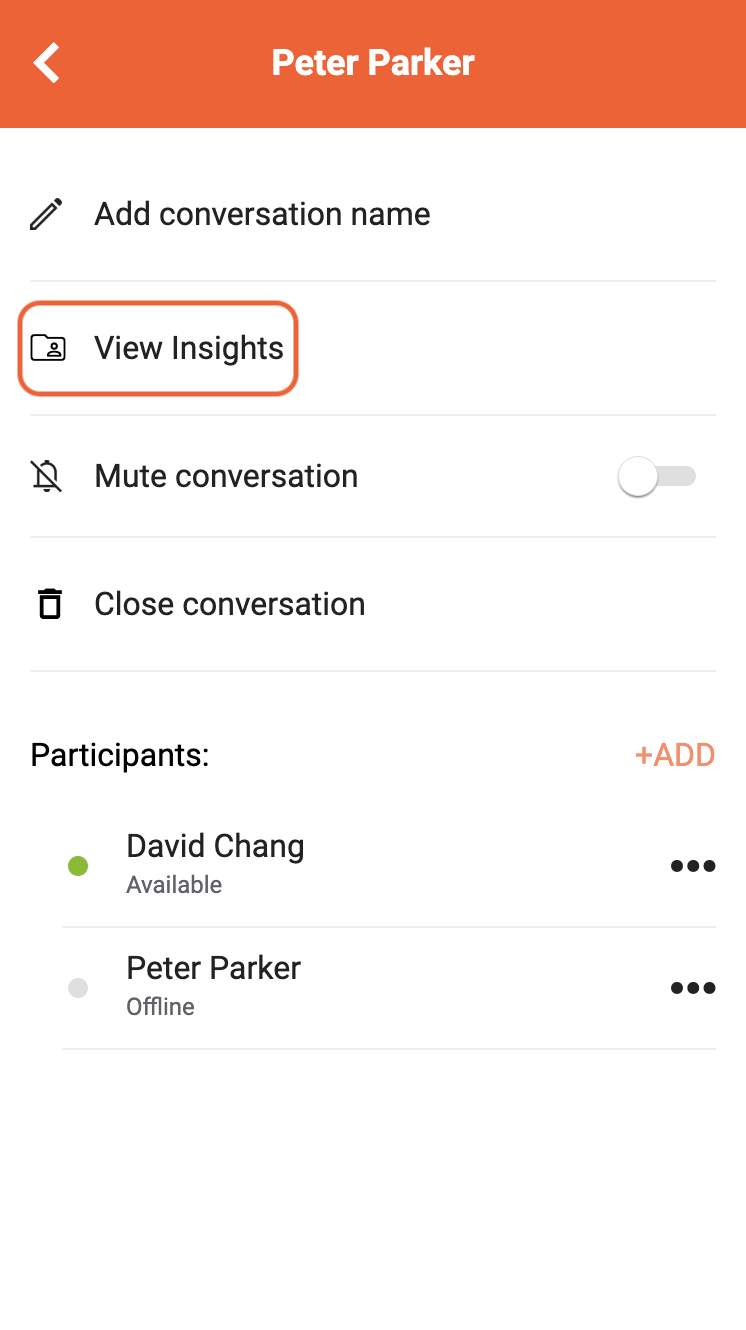 |
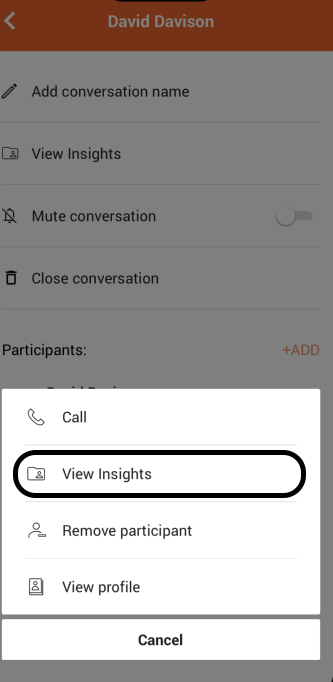
Spoke app users can also view any selected party's Insights for conversations from the participant pop up menu of the conversation settings screen.
 |  |
Spoke will include the following fields as query parameters when sending a conversation Insights request to the configured URL:
Insights Response
Similar to other Data Actions, Spoke expects a response within 2 seconds. The response payload is expected to be an object containing Insight cards with optional context and preferences, as specified here.
Combining with Enlighten Insights
If your organization has Enlighten Call Insights enabled and Data Action Insights configured in the Spoke Account Portal, you can use the preferences field in the Insights response to control how Enlighten Insights are displayed alongside your Data Action Insight cards.
The following table describes the behavior of the Spoke application when these settings are configured:
| Enlighten Call Insights Enabled | Data Action Insights Configured | Behavior |
|---|---|---|
| Yes | Yes | Both sources displayed, preferences controls card ordering and context source |
| Yes | No | Only Enlighten Insights displayed |
| No | Yes | Only Data Action Insights displayed |
| No | No | No Insights displayed |
Example
The following Insights Response uses the preferences field (see the schema definition) to configure what to display in the Spoke application when both Enlighten and Data Action insights are enabled. Screenshots of each screen are shown below.
Code
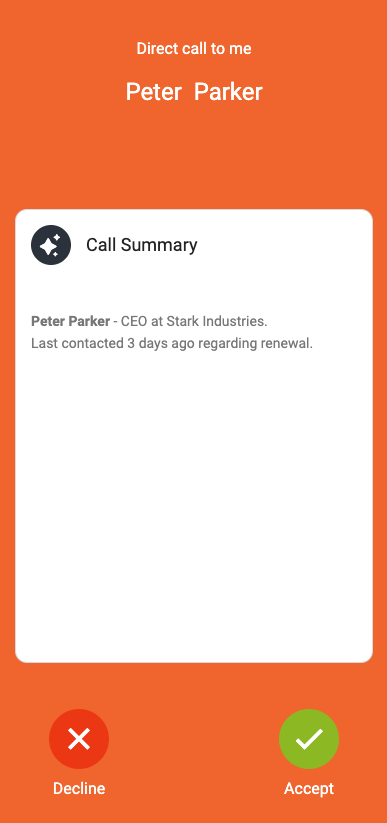
Pre-call (desktop only)
Only the context is shown. The context from the Insights Response is displayed as specified by preferredSource.
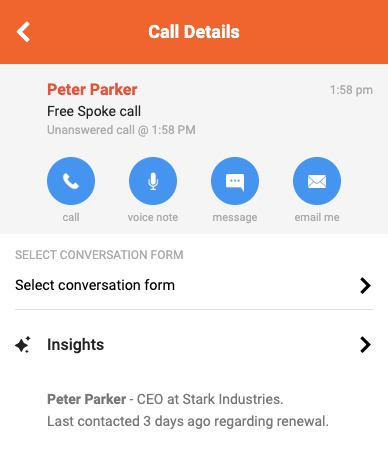
Call Summary (call history → select a call)
Only the context is shown. The context from the Insights Response is displayed as specified by preferredSource.
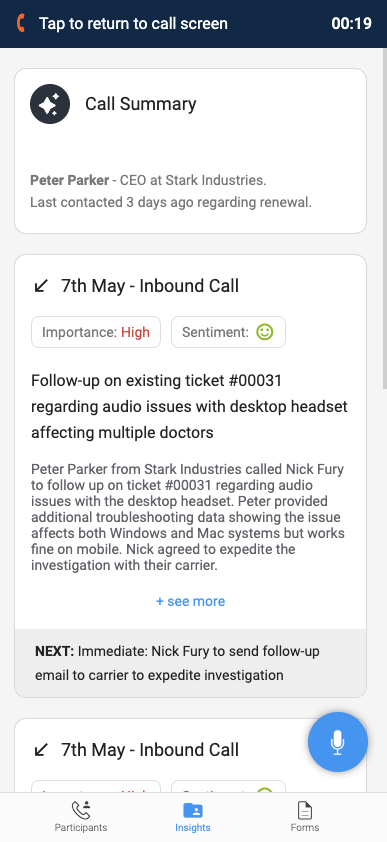
In-call (active call → Insights tab)
The context from the Insights Response is shown followed by the card list. Enlighten cards are displayed before the Data Action cards as specified by display.
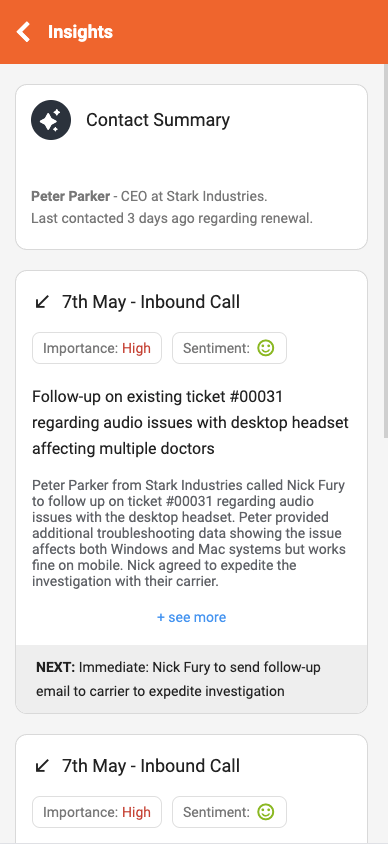
Contact Insights (directory → select contact → Insights)
The context from the Insights Response is shown followed by the card list. Enlighten cards are displayed before the Data Action cards as specified by display.
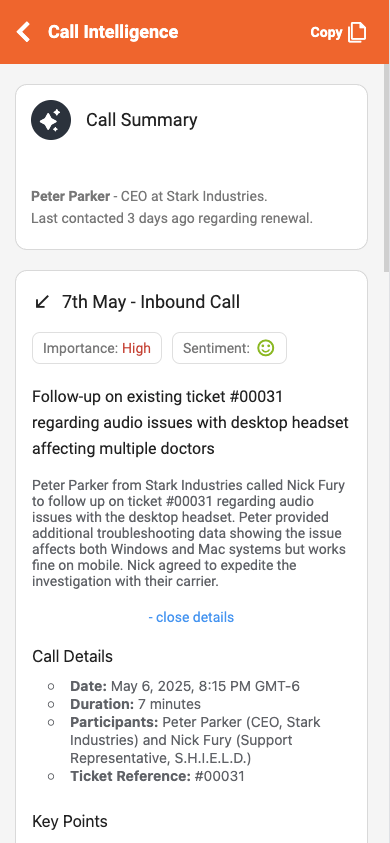
Call Intelligence (call history → select a call → Insights)
The context from the Insights Response is shown followed by the card list. Enlighten cards are displayed before the Data Action cards as specified by display.
Debugging
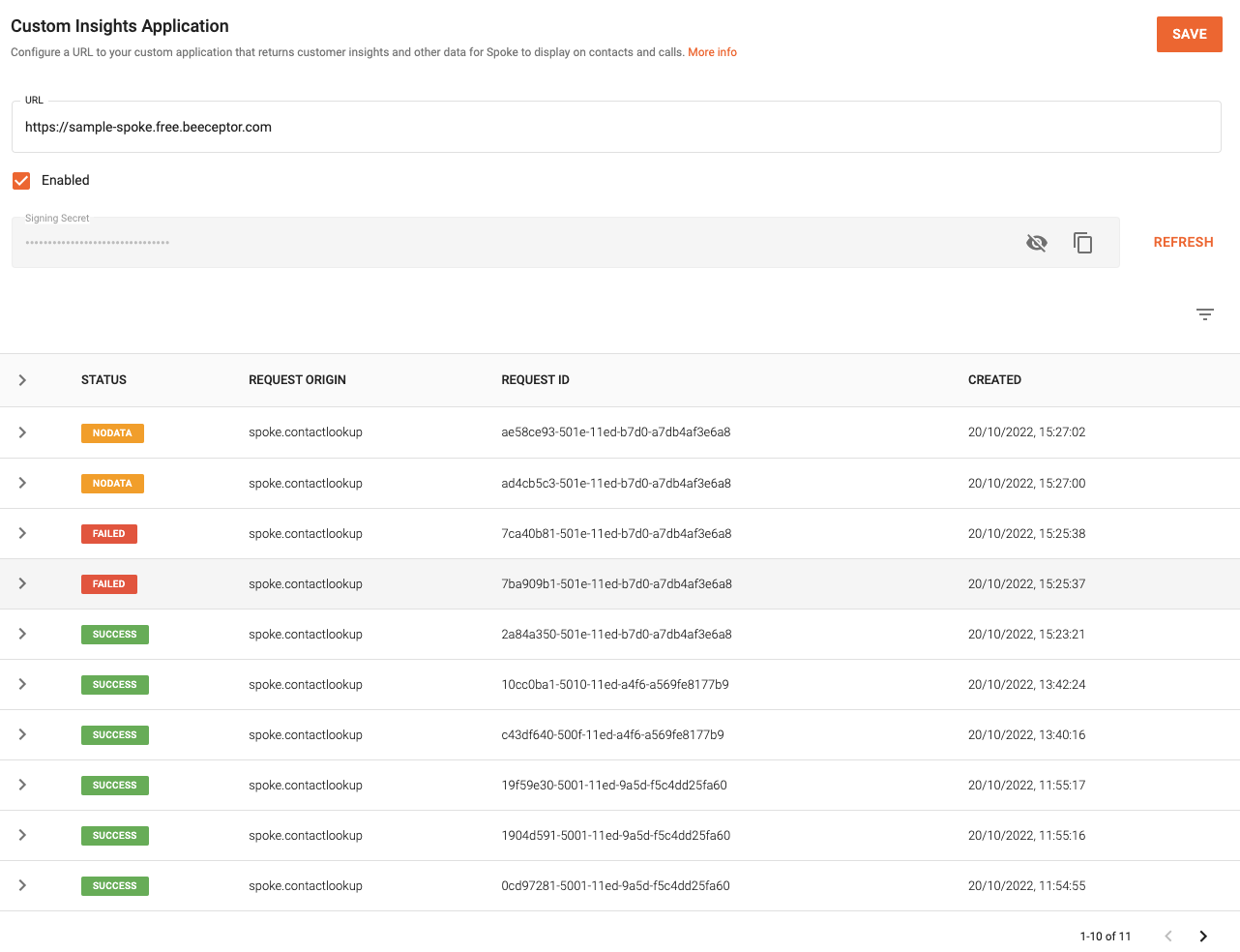
A table of Insights Data Actions that have been performed is available on the configuration page on the Spoke Account Portal and can be used to debug your Custom Insights Application.
Status Types
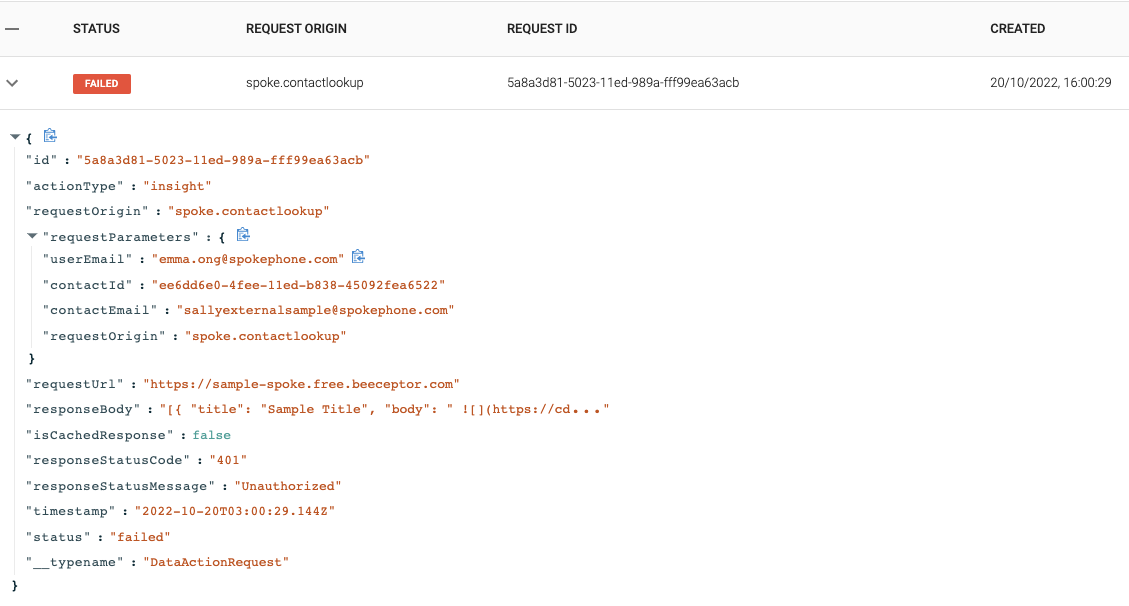
The status column on the table refers to the response from the configured URL. There are 3 status types:
successfailurenoData
It is important to note that status does not refer to the validity of the response body.
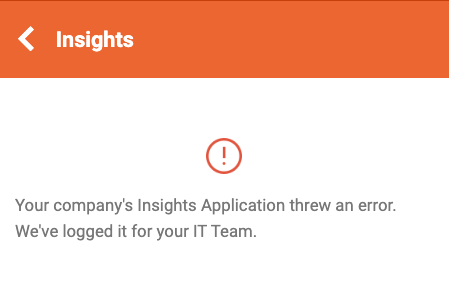
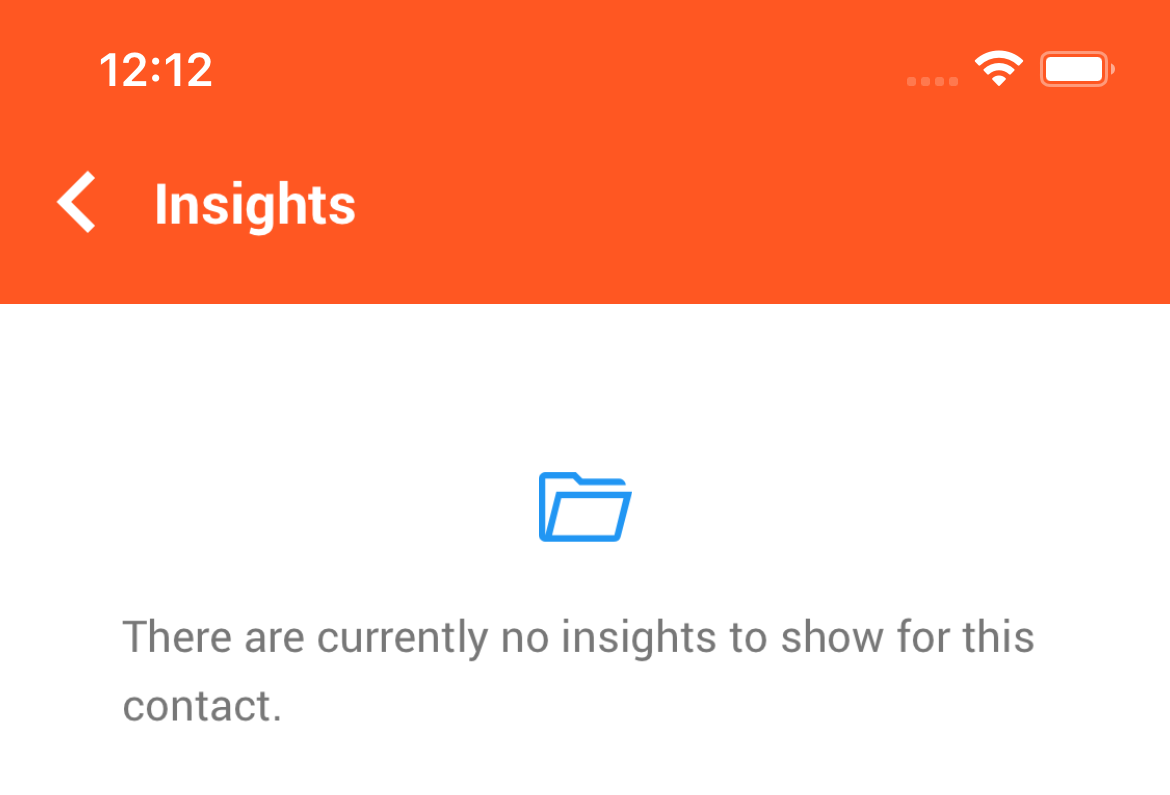
Here are cases of each status type when they appear on the Spoke Account Portal and their scenarios when users click to view Insights and there is an error:
-
The table will not be updated with a new entry if the Insights app has not been configured for an organisation
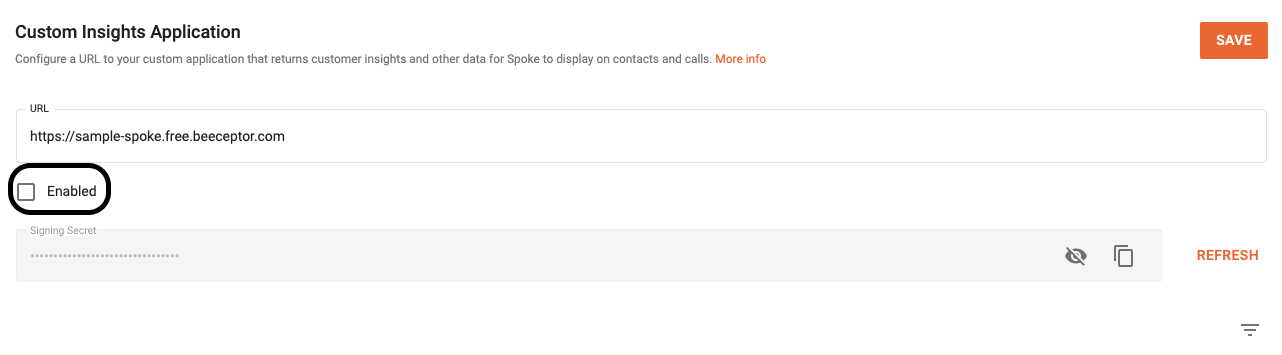
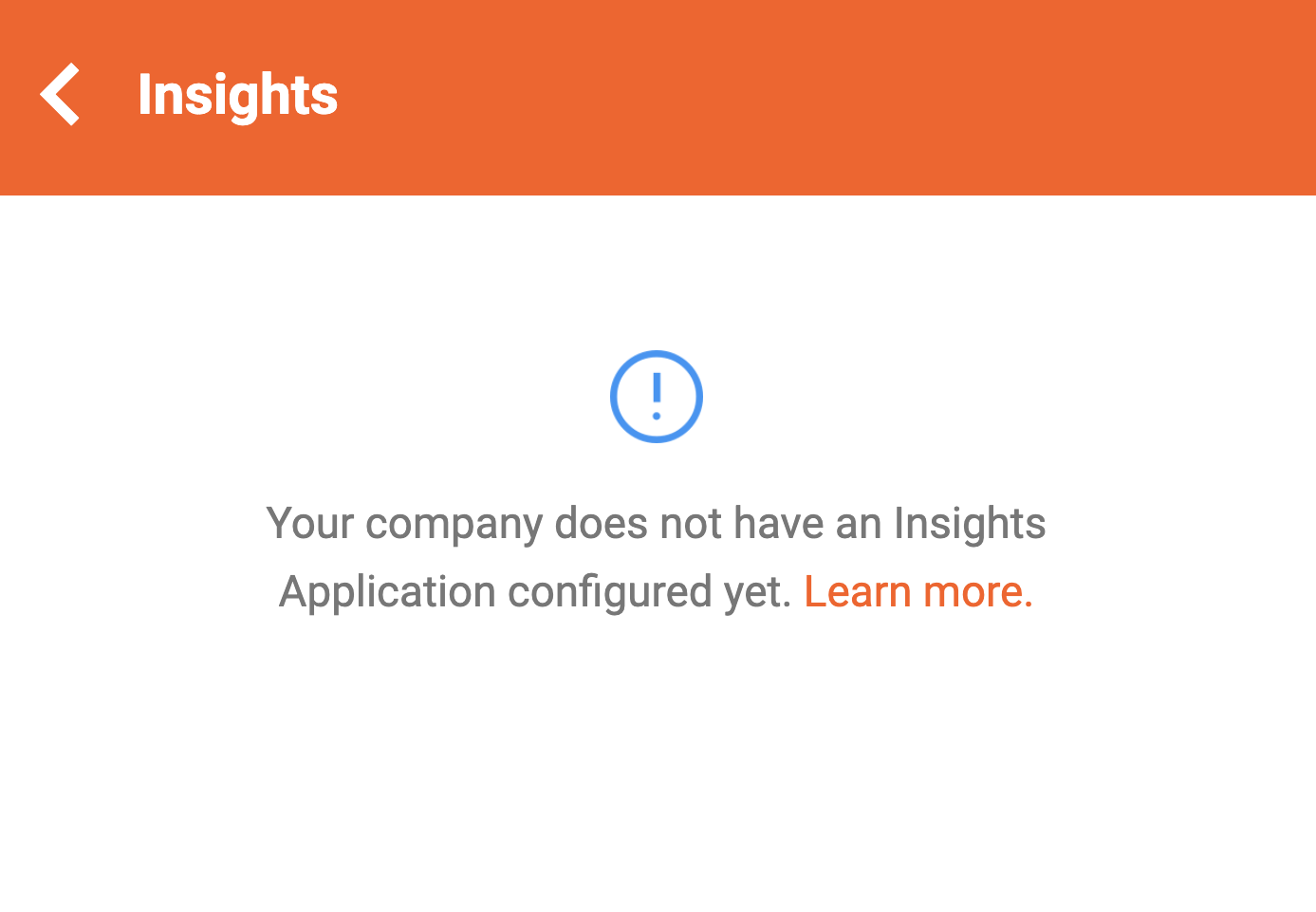
-
An entry with a status of
successwill be added if:- there is a valid response or
- the response is not valid JSON or is malformed
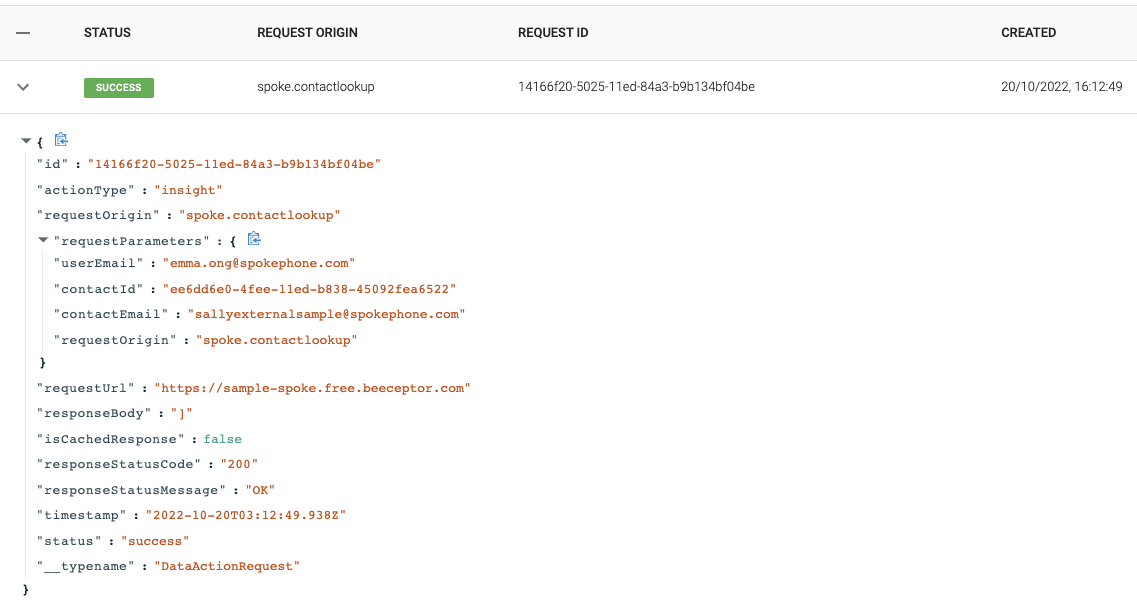
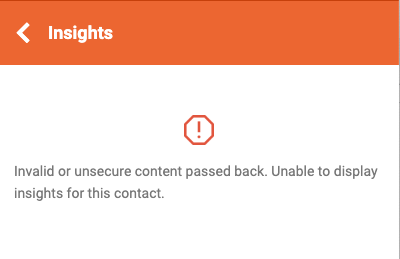
-
An entry with a status of
failedwill be added if a network error is encountered
-
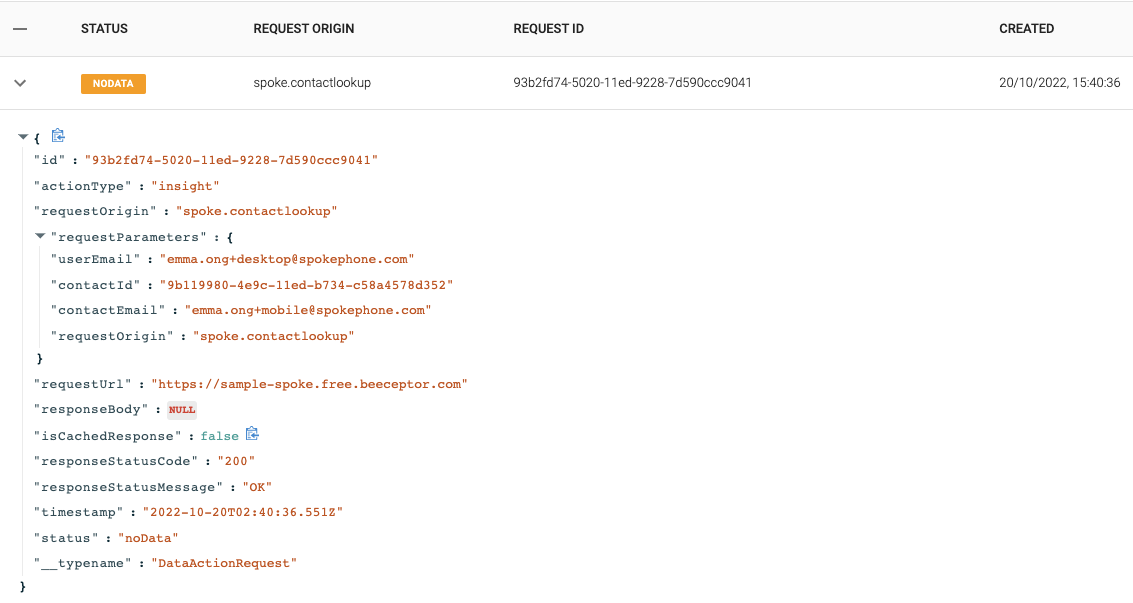
An entry with a status of
noDatawhen the response is empty (i.e. if there is no payload) or an empty array is returned
Contact Insights request — external contact
Spoke sends this request to the Data Action URL you configure, with the fields below as query parameters.
query Parameters
contactIdThe identifier of a phonebook contact for which to request Insights data.
contactSourceThe name of the phonebook that the contact being looked up belongs to
(e.g. Zoho or My CSV-Upload Phonebook).
The contactSource field will match the phonebook name as listed in the Spoke Account Portal integrations page.
isInternalIndicates whether the contact being looked up is an internal Spoke user.
This field will be false when looking up a phonebook contact.
requestOriginA concatenation of which Spoke app and where in the app the data is being requested.
Possible values:
spoke.contactlookup: Denotes Contact Insights being requested from the Spoke Phone app
userEmailEmail of the user that is requesting Insights.
contactEmailThe phonebook contact's email address for which to request Insights data.
If the contact has multiple emails, this field will be the first email stored in the phonebook for that contact.
This field will be null if the contact has no email.
Contact Insights request — external contact › Responses
Return the payload below within 2 seconds.
Insights Cards that will be displayed below the Insights Summary
No Insights Cards will be displayed if cards is null, missing or empty.
Insights Summary that will be displayed above the Insights Cards
No Insights Summary will be displayed if context is null or missing.
Preferences for the Insights response.
Contact Insights request — internal contact
Spoke sends this request to the Data Action URL you configure, with the fields below as query parameters.
query Parameters
contactIdThe id of the Spoke user for which to request Insights data.
isInternalIndicates whether the contact being looked up is an internal Spoke user.
This field will be true when looking up a Spoke user.
requestOriginA concatenation of which Spoke app and where in the app the data is being requested.
Possible values:
spoke.contactlookup: Denotes Contact Insights being requested from the Spoke Phone app
userEmailEmail of the user that is requesting Insights.
contactEmailThe email address of the Spoke user for which to request Insights data.
Contact Insights request — internal contact › Responses
Return the payload below within 2 seconds.
Insights Cards that will be displayed below the Insights Summary
No Insights Cards will be displayed if cards is null, missing or empty.
Insights Summary that will be displayed above the Insights Cards
No Insights Summary will be displayed if context is null or missing.
Preferences for the Insights response.
Call Insights request
Spoke sends this request to the Data Action URL you configure, with the fields below as query parameters.
query Parameters
directionCall direction. One of the following values:
- inbound: An incoming call to Spoke Phone from an external caller
- outbound: An outgoing call from Spoke Phone to another caller
isInternalIndicates whether the call is an internal (Spoke User to Spoke User) call. If this flag is true
then there is no external party on the call, and the contactNumber, companyNumber and contactSource fields
will be empty.
requestOriginA concatenation of which Spoke app and where in the app the data is being requested.
Possible values:
spoke.precall: Denotes Call Insights being requested from the Spoke Phone app's incoming call screenspoke.call: Denotes Call Insights being requested from the Spoke Phone app active call insights screenspoke.callhistory: Denotes Call Insights being requested from the Spoke Phone app's call historyspeedy.call: Denotes Call Insights being requested from the Speedy app
userEmailEmail of the user that is requesting Insights.
vendorCallIdThe vendor's identifier for the call.
callIdThe Spoke identifier for the call.
This field will be null for an Insights data action from the Speedy app.
companyNumberThe company number that originated or terminated this call. This will be one of the numbers defined in the Spoke Phone Number settings page.
This field will be null for Spoke internal calls (calls between Spoke users and/or devices).
contactEmailThe email address of the contact being called or the contact who originated the call
For calls to/from phonebook contacts, this field will contain the first email stored in the phonebook for the contact:
- who originated the call for
inboundcalls - who is being called for
outboundcalls
For Spoke internal calls to a user, this field will contain the email of the Spoke user being called.
This field will be null for calls to/from phone numbers that do not match any phonebook contacts, or if the phonebook contact has no email.
contactIdThe identifier of the contact being called or the contact who originated the call.
For calls to/from phonebook contacts, this field will contain the identifier of the contact:
- who originated the call for
inboundcalls - who is being called for
outboundcalls
For Spoke internal calls to a user, this field will contain the identifier of the Spoke user being called.
This field will be null for calls to/from phone numbers that do not match any phonebook contacts.
contactNumberThe phone number of the external party that originated or terminated this call.
Possible values:
- null: This field will be blank for Spoke internal calls (calls between Spoke users and/or devices).
- ANONYMOUS: If the external party has masked their caller id then this field will contain the value
ANONYMOUS - +E164 Number: A phone number in +E164 format (e.g. +16508221060)
contactSourceThe name of the phonebook that the contact being called or the contact who originated the call
belongs to (e.g. Zoho or My CSV-Upload Phonebook).
The contactSource field will match the phonebook name as listed in the Spoke Account Portal integrations page.
This field will be null when isInternal is true.
x-*Passthrough parameters stored against the call.
Each passthrough parameter is appended as one query parameter per key, and each value is a URL-encoded string, for example x-orderId=ORD12345. See Passthrough Parameters.
Call Insights request › Responses
Return the payload below within 2 seconds.
Insights Cards that will be displayed below the Insights Summary
No Insights Cards will be displayed if cards is null, missing or empty.
Insights Summary that will be displayed above the Insights Cards
No Insights Summary will be displayed if context is null or missing.
Preferences for the Insights response.
Conversation Insights request
Spoke sends this request to the Data Action URL you configure, with the fields below as query parameters.
query Parameters
initiatedByIdentifies whether the conversation was initiated by a user, a contact or via the Spoke API.
Possible values:
user: A Spoke user initiated the conversationcontact: The external party initiated the conversationapi: The conversation was initiated by a call to the Spoke API
isInternalIndicates whether the conversation is an internal (Spoke User to Spoke User) conversation. If this flag is true
then there is no external party in the conversation, and the contactNumber, companyNumber and contactSource fields
will be empty.
requestOriginA concatenation of which Spoke app and where in the app the data is being requested.
Possible values:
spoke.conversation: Denotes Conversation Insights being requested from the Spoke Phone app
userEmailEmail of the user that is requesting Insights.
vendorConversationIdThe vendor's identifier for the conversation.
companyNumberThe company number that originated or received this conversation. This will be one of the numbers defined in the Spoke Phone Number settings page.
This field will be null for Spoke internal conversations (where isInternal is true).
contactEmailThe email address of the contact who originated or received the conversation
For Spoke internal conversations, this field will contain the email of the Spoke user. For conversations with phonebook contacts, this field will contain the first email stored in the phonebook for that contact.
This field will be null for conversations with phone numbers that do not match any phonebook contacts, or if the phonebook contact has no email.
contactIdThe identifier of the contact who originated or received this conversation.
For Spoke internal conversations, this field will contain the Spoke user identifier. For conversations with phonebook contacts, this field will contain the identifier of that contact.
This field will be null for conversations with phone numbers that do not match any phonebook contacts.
contactNumberThe phone number of the external party that originated or received this conversation.
This field will be null for Spoke internal conversations (where isInternal is true).
contactSourceThe name of the phonebook that the contact who originated or received the conversation
belongs to (e.g. Zoho or My CSV-Upload Phonebook).
The contactSource field will match the phonebook name as listed in the Spoke Account Portal integrations page.
This field will be null when isInternal is true.
Conversation Insights request › Responses
Return the payload below within 2 seconds.
Insights Cards that will be displayed below the Insights Summary
No Insights Cards will be displayed if cards is null, missing or empty.
Insights Summary that will be displayed above the Insights Cards
No Insights Summary will be displayed if context is null or missing.
Preferences for the Insights response.